
Two weeks ago we went over how to compile OpenVSP from scratch so we could get access to its python API. I spent the last two weeks messing around with the API, so we could now start a more interesting subject. Let’s see if we can optimize the current design using a bit of artificial intelligence. To be more specific, let’s look at the fuselage pieces on this commit of the design. This is how the airplane looks at the moment:

Before we start coding away, let’s have a look at what kind of AI we’ll be looking at.
Why use AI?
We have an airplane fuselage that consists of two pieces: the cockpit and the tail piece (FuselageBase, FuselageTail in OpenVSP terms). They were designed by hand, by someone who had never touched OpenVSP before, without any sort of pattern to build on top of. You could say it’s somewhat between a rough sketch, and a kid’s dream airplane. You could also say it’s probably not efficient. Optimizing the fuselage by hand is likely not very hard. We essentially need to thin it down as much as possible, while still keeping enough space inside for a pilot and a battery pack. But if we can do this using an algorithm, we can then apply a similar algorithm to the wings, the tails, the engine, the landing gears, etc. Let’s consider this an exercise.
AI For Pilots
There are a plethora of realms in the field of AI that are worth exploring. But for today we only care about one specific field, which is that of finding the “best” solution to a problem. This is the kind of AI that Google Maps uses to find the “best” route from point A to point B. The algorithm finds the “best” route by checking millions of possibilities, and benchmarking them. In the end, it picks the “best” one. The “best” route is chosen based on a series of pre-determined requirements, such as distance, traffic, number of lights, etc. Seems pretty simple in the end, no? Let’s break this down into more technical terms. We begin by defining a problem. This is our starting point. A problem has an ocean of solutions, which we call a solution space. The purpose of our algorithm is to navigate this solution space and use what we call a heuristic function to benchmark each solution. What makes it “intelligent” is not how it benchmarks solutions, but how it navigates the solution space. Let’s go back to the Google Maps example to make this more clear. Imagine we want to fly from Paris to Rome. We want to do this in the most efficient way possible (i.e. get to Rome as fast as possible), but we can’t fly for too long, we need to make pit stops. This our problem. Now the solution space is every possible combination of airfields that eventually leads from Paris to Rome. This means that going from Paris to Strassbourg to Stuttgart to Frankfurt to Munchen to Zurich to Milano to Marseilles to Geneve to Genoa to Rome is a solution. So is going from Paris to Lille to Callais to London to you get the point. You probably also get that the solution space can be pretty big (as I said earlier, an ocean of solutions). It would take literally forever to visit EVERY solution available. So now we are forced to come up with an algorithm that’s a little bit smarter, for example an algorithm that will only accept paths that go through airfields that reduce the distance to Rome. For example, from Paris we would go to Geneve, because that reduces the distance to Rome. But we would not go to Strassbourg or Lille. This narrows down our solution space. There are plenty of algorithms that can be employed for this type of problem, here is a list of the most common ones. Finally, we would need to define a heuristic function. This is what determines how good a solution is. Since the only thing we want is to get to Rome as fast as possible, our heuristic function’s job will be to measure or estimate how long it would take us to get to Rome, for a given flight route. The two main factors are: distance, and speed. Distance is immutable, we take a route, measure its distance, and done. Speed varies with wind and traffic on approach, but with modern databases that keep track of weather and where each airplane is at each second, we can estimate our average speed pretty accurately. Once we have a value for distance and speed, we can calculate how much time each route would take. Now how about we try to use some of these techniques to optimize an airplane fuselage?
Problem Definition
To start, we need to define our problem. There are two fuselage pieces that need to be as aerodynamical as possible so we can reduce drag. That’s the entire point of a glider. But unfortunately we need to make room for a pilot and a battery pack, and we need to maintain a minimum structure so everything holds together. This means that the fuselage shape will be slightly more complex than a drop of water. Furthermore, we need to define what we will be modifying to approach a solution. For now, we will stick to the fuselage with and height. Let’s formally state the problem: the FuselageBase and TailFuselage pieces need to be modified to push the drag coefficient to a minimum. The TailFuselage's cross sections need to have a minimum height of 0.5 and width of 0.5 (not sure what the units are, I couldn’t find them on OpenVSP). The FuselageBase piece needs to have sections 3, 4 (where the battery and pilot will sit), with minimum dimensions of 3.5 in height 2 in width. Section 5 of the FuselageBase needs to have a minimum height of 3 and width of 2. Furthermore, FuselageBase cross sections 1 and 2 must match cross section 3, 4, and 5 of TailFuselage because that’s where they will join.
Heuristic Function
This part is critical to the design of a proper algorithm. Luckily, OpenVSP comes with VSPAERO, which can run a bunch of different simulations for us, including finding the drag coefficient of our airplane. This means that most of the work is done for us in the first place. All we need to do, is load our .vsp3 file into a script, run a parasite drag analysis, and parse the results in a meaningful way. To do this, we can “borrow” the api.py file from the OpenVSP repository, which already contains some code to help us interface with the OpenVSP api. Opening the file we notice that there are 3 classes in it, one which happens to abstract a vsp model. This is the class that will represent our airplane. Since we will be modifying and analyzing the aircraft, let’s add one function for each, and a function to save our progress:
def set_param(self, id, value):
  pass
  '''
  used to set a specific parameter's value
  '''
  vsp.SetParmVal(id, value)

def h(self, type='ParasiteDrag', unit='Total_CD_Total'):
  pass
  '''
  run a simulation, and return a specific value associated with the simulation
  '''
  id = vsp.ExecAnalysis(type)
  data = vsp.GetAllDataNames(id)
  results = vsp.GetDoubleResults(id, unit)[0]
  return results

def save_file(self, filename=None):
  pass
  '''
  used to save any changes made. Saves to the same file by default
  '''
  if filename:
    pass
    vsp.WriteVSPFile(filename)
  else:
    pass
    vsp.WriteVSPFile(self.__filename)
I took the liberty of putting all this stuff in a separate file called vsp_interface.py. Also, notice I called the analysis function h() which is short for heuristic. Let’s see what it’s doing. We have two parameters, type and unit. type defines which type of analysis we will be running (there are maaaaany options). It’s default is ParasiteDrag because that’s what we’ll care about for most of the project. unit defines which data field to return from the analysis results, which consists of a rather extensive report.
The AI
Now that we have the means to modify our aircraft and to see the effects of this modification, we can write the part where the code traverses multiple solutions. Let’s start with the FuselageBase part. The fuselage is composed of 7 “rings”, with “wires” going from one ring to the other. By changing the width and height of these rings, we can change the aspect ratio of the fuselage. Here’s how to access these dimensions:
value = model['FuselageBase']['XSecCurve'][i][element]['value']
id = model['FuselageBase']['XSecCurve'][i][element]['_id']
where i is our current cross section of the fuselage, and element is one of the VSP elements associated with this “ring” or cross section (i.e. the width, height, wire properties that go to neighboring cross sections). We can use the set_param() function we defined above to modify the value of each element by passing it the id and a new value. Now all that’s left is defining our intelligence. Let us begin with a very simplistic approach: hill climb. This is very simple to understand. Imagine we have a graph of drag coefficient vs width of the fuselage. It will look like this:
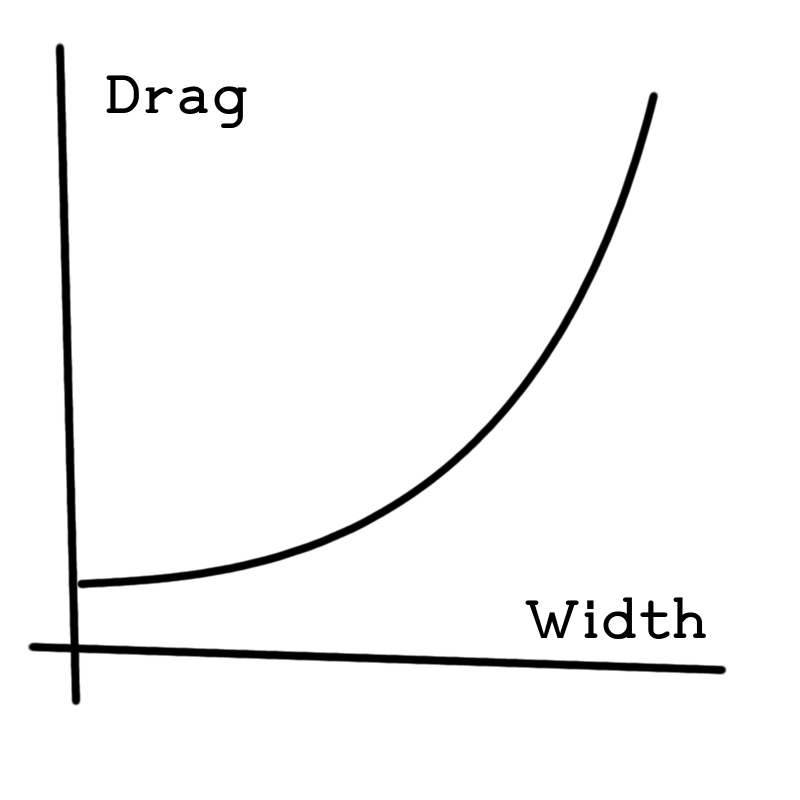
Looks very uncomplicated (and slightly unprofessional on my part, but you get the point). Based on the problem definition, we want the drag coefficient to go as close as possible to 0, while remaining within the boundaries defined above. This means we can loop multiple times, changing the value of the width and height each time, until we either reach a drag coefficient of 0, or the boundaries. We can start by defining a few constants:
filename = 'path/to/our/vsp3/file.vsp3'

t = 50      # number of iterations
c = 0.4   # change factor (multiply values by this + 1)

h = 0         # current heuristic value
old_h = None  # previous heuristic value

# minimum size constraints so we have space inside the plane
tail_min_width = 0.5
tail_min_height = 0.5
cockpit_min_width = 2
cockpit_min_height = 3.5
nose_min_height = 3
You’ll notice that t and c are arbitrary. Figuring out what to set these variables to is a science that requires a lot of time. Next we can take a look at our loop:
while t > 0:
    pass
    i = 0

    base_sections = model['FuselageBase']['XSecCurve']
    tail_sections = model['TailFuselage']['XSecCurve']
    for i in range(0, len(base_sections)):
        pass
        # modify cockpit side first
        for element in base_sections[i]:
            pass
            if 'Width' in element:
                pass
                value = model['FuselageBase']['XSecCurve'][i][element]['value'] * (c + 1)
                id = model['FuselageBase']['XSecCurve'][i][element]['_id']

                # sections connecting to the tail
                if i <= 2 and value > tail_min_width:
                    model.set_param(id=id, value=value)
                # cockpit and battery sections
                elif i > 2 and value > cockpit_min_width:
                    model.set_param(id=id, value=value)

            elif 'Height' in element:
                value = model['FuselageBase']['XSecCurve'][i][element]['value'] * (c + 1)
                id = model['FuselageBase']['XSecCurve'][i][element]['_id']

                # sections before nose
                if i <= 5 and value > cockpit_min_height:
                    model.set_param(id=id, value=value)
                # nose section
                elif i > 5 and value > nose_min_height:
                    model.set_param(id=id, value=value)

    # then modify tail
    for i in range(0, len(tail_sections)):
        pass
        for element in tail_sections[i]:
            pass
            if 'Width' in element:
                pass
                value = model['TailFuselage']['XSecCurve'][i][element]['value'] * c
                id = model['TailFuselage']['XSecCurve'][i][element]['_id']

                if value > 0.5:
                    model.set_param(id=id, value=value)

            elif 'Height' in element:
                value = model['TailFuselage']['XSecCurve'][i][element]['value'] * c
                id = model['TailFuselage']['XSecCurve'][i][element]['_id']

                if value > 0.5:
                    model.set_param(id=id, value=value)

    model.save_file(filename=filename)
    # open file
    model = VspModel(filename)
    # run heuristic
    h = model.h()
    # if heuristic is better than before, continue. Else change direction
    if old_h is not None and old_h < h:
        pass
        # Wrong way, turn around
        c *= -0.95
    elif old_h is not None and old_h >= h:
        pass
        # Getting closer...
        c *= 0.95
    old_h = h
    print('C: ', c, ' h: ', h, ' t: ', t)
    t -= 1
Here we can see how t decreases by 1 for each iteration. Our change factor c is decreased by 5% as well. The point of this is to reduce the amount of change done as a function of t, so our algorithm can fine tune its approach to perfection. And that’s it. You can see the full code here. Now we can give it a try.
Running the code
Let’s run the code:
$ python main.py
And we see it will take a while. Loading the plane, editing it, saving it, and running the heuristic takes much time. We can do something else in that time. I’m going to cook something because it’s close to lunch time, and I’m hungry. Here’s what I have in the fridge:
- Turnips
- Eggs
- Mayo
- Butter
- Chedder, Gruyere, Brie (I’m French)
- Cooked Bacon
- Bacon grease
- Old bread
I’m feeling like having a sandwich and chips, so let’s make that. Let’s start by cutting thin slices of parsnip and seasoning them with oil, salt, pepper and vodka (the vodka helps them crisp). We can then put them in a pretty hot oven. Meanwhile, we need to fix the bread, it’s getting a little dry. We could toast it, but it tastes better if we put mayo on one side of each slice, place them on a pan mayo side down, and cover it. This will trap moisture inside to hydrate them, and the mayo will grill one side of the bread. Oh, and don’t forget to put grated cheddar on one of the slices of bread so it melts. On another pan, we’re going to melt some bacon grease, and crack an egg in it. I like to distribute the yolk around the egg whites so it’s more homogeneous. When the bread slices and egg are done, we can put some egg, cheese and bacon on the not toasted side (so we maintain the crisp), and close our sandwich (sorry mom, no greens today). The parsnip chips should be ready by now, so we can take them out and enjoy lunch.
The Results:
The first results gotten were achieved by a change factor c that was too large. The result was this:
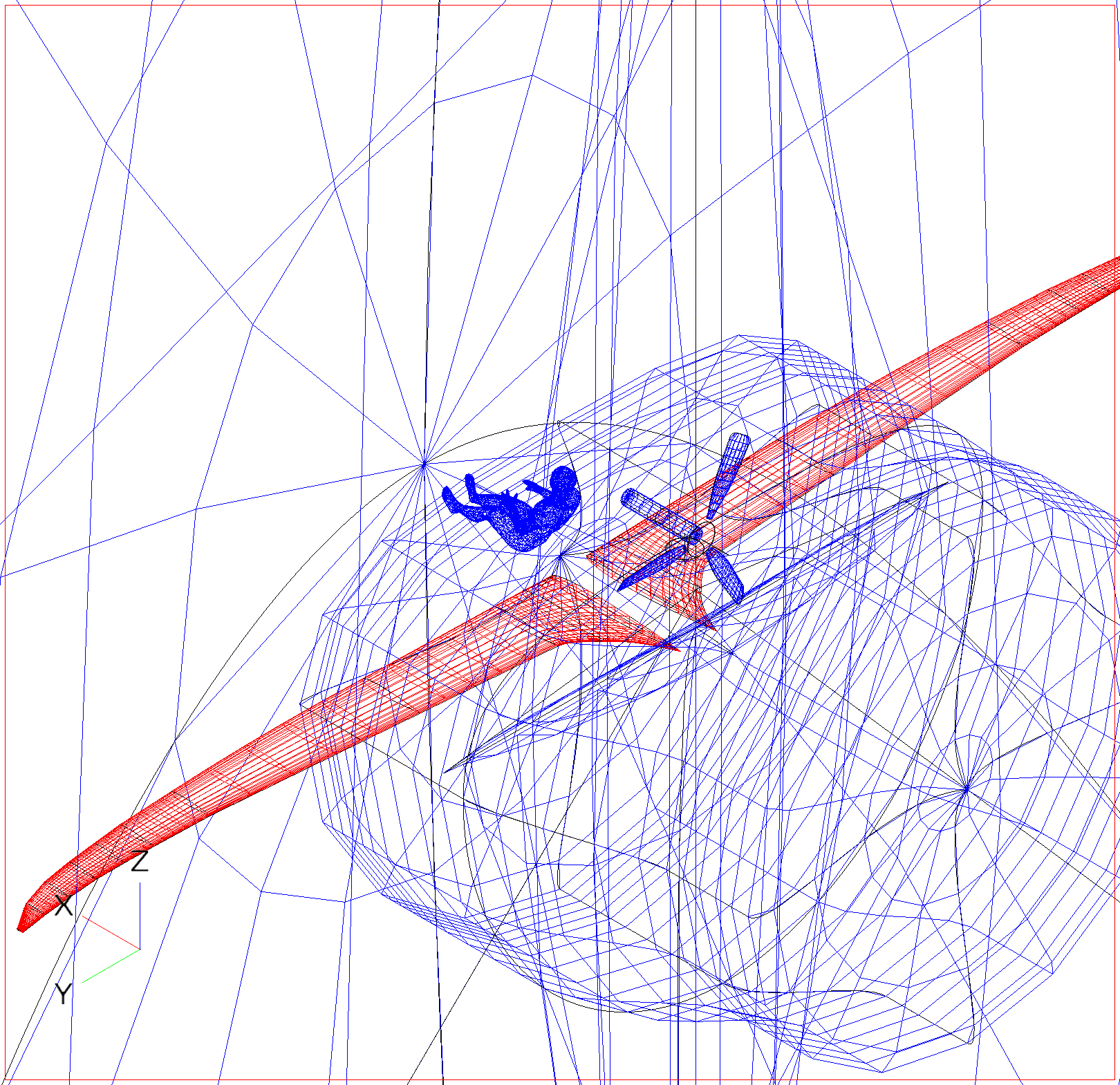
The reason is because the fuselage increased way to much in the first go, (because it’s positive) and then it wasn’t able to reduce immediately because of the boundary conditions. So I changed c to be slightly smaller, and got this:
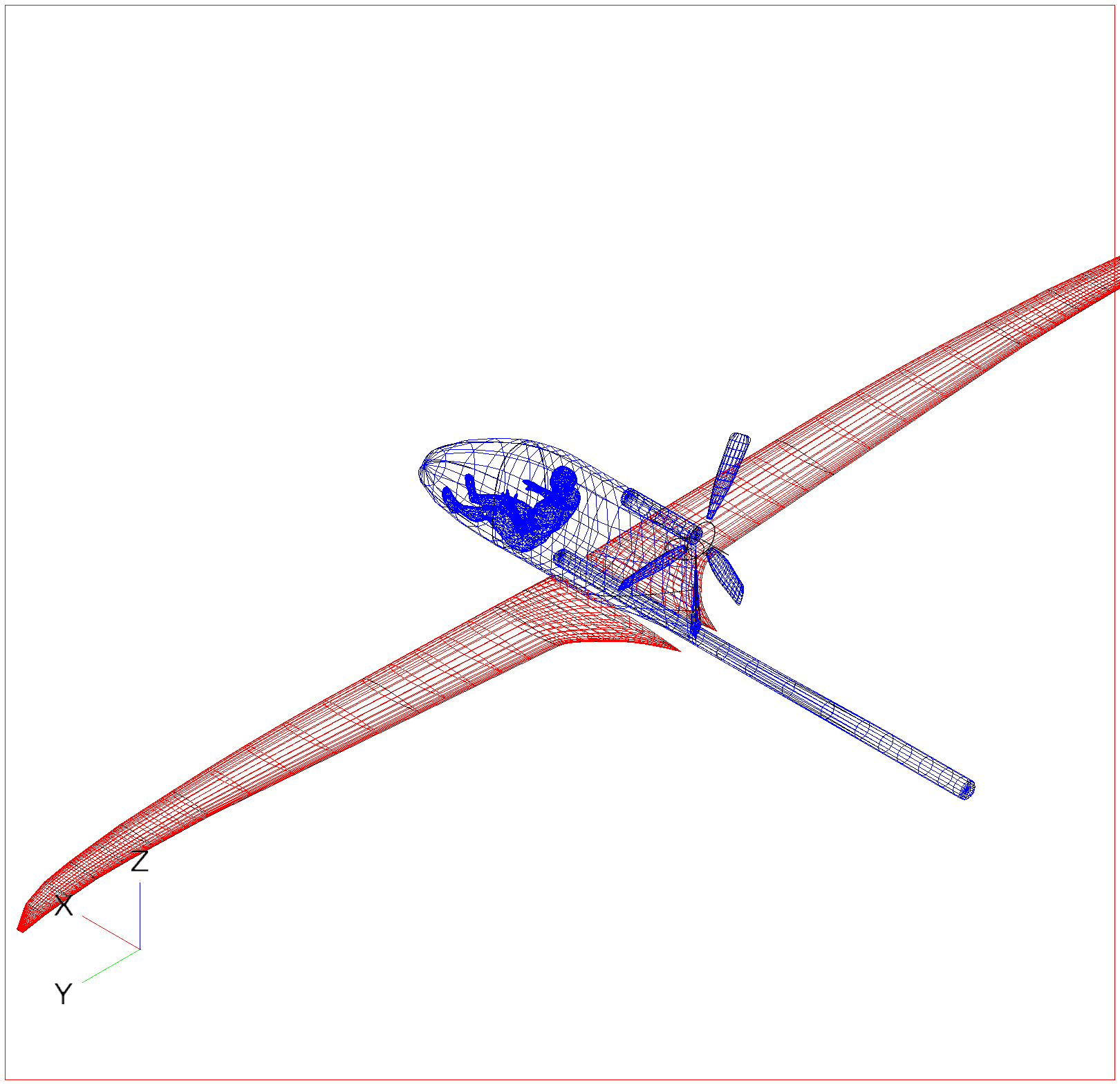
Which is sort of what we were expecting isn’t it? It’s as close as possible to the boundaries. What have we learned from this? That we can optimize a design using an algorithm. Any future changes to the fuselage can be optimized, no matter how sloppy they are. Is this the best solution to the problem stated above? No. There are more aspects of the fuselage that can change, such as the wire curves, each section’s location, the length of the fuselage, etc. In order to mess with those, we need a smarter algorithm. The solution space becomes suddenly not so simple. But that is a subject for next post (hence why part one).
Thanks!
See my previous post and my next post 🙂
-by Eduardo”